
Pixel Blast: Robot Shooter
BluetilePuzzle
4.7596.00 Reviews
- Version
- 1.9.0
- Installs
- 500.00K
- Age Rating
- Everyone
Screenshots

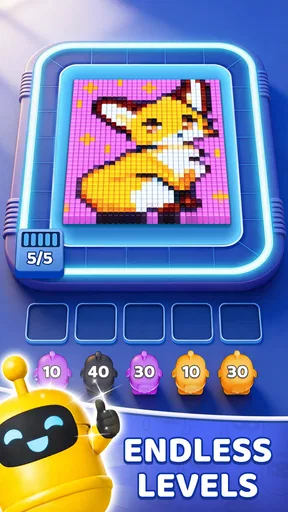

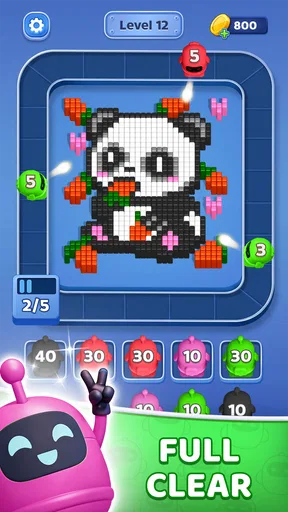
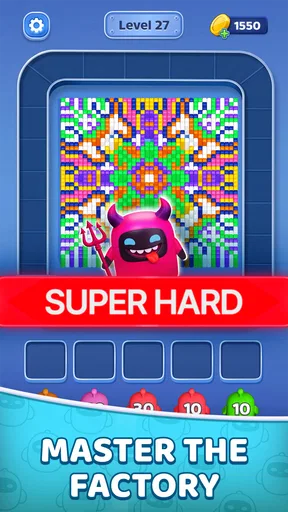

Our Review of Pixel Blast: Robot Shooter
 Analysis by Appyee
Pixel Blast: Robot Shooter is the kind of puzzle game I can open for a short break without needing to remember a complicated story, a long control scheme, or a large set of rules. The basic idea is immediate: tap to fire at colored cubes, work through the grid, and bring factory robots into the action. That simple starting point makes it approachable, but the better moments come from deciding where each shot matters rather than tapping everywhere at random.
I found it most appealing when I wanted a compact game with a clear visual goal. The board gives me something concrete to read, the pixel-art presentation keeps the mood light, and the one-tap control makes the first minute comfortable. It is free to start, rated for Everyone, and comes from Bluetile. Its current version is 1.9.0, with support beginning at Android 7.0, so it is aimed at a broad range of players rather than only people with newer devices.
What the first few minutes feel like
After installing the game, I would not expect a traditional action shooter with a character to steer through large environments. This is a grid-focused puzzle experience that borrows the satisfying language of shooting games: choose a target, tap, watch the impact, and look for the next useful move. The appeal is in turning a crowded arrangement of color cubes into a manageable board.
The first useful habit is to pause briefly before firing. Because the control is so simple, it is tempting to treat every tap as equally valuable. I got better results by scanning for a shot that either clears a troublesome area or opens a route toward several nearby targets. That small pause is the difference between playing thoughtfully and simply touching the brightest object on screen.
The game is easiest to understand when I treat every shot as a puzzle decision, not just a trigger press. That distinction matters for new players. If you approach it like a fast arcade game, the grid can feel less predictable than expected. If you approach it like a visual planning exercise with shooting feedback, the structure becomes much clearer.
The pixel presentation also helps keep the board readable. The cubes are the main information, while the robots add a sense of production and progression to the setting. I would not install this expecting a deep simulation of a factory, though. The factory theme frames the puzzle rather than replacing it, and the central pleasure still comes from clearing the grid efficiently.
Getting comfortable before chasing speed
For a first session, I recommend playing slowly enough to notice how the board responds to each successful hit. Look at what becomes exposed after a cube disappears. A shot can be useful even when it does not create a dramatic chain immediately, because it may reveal a better target or reduce the number of awkward pieces left around the edges.
This is also where the one-tap design shows its strength. I do not need to learn virtual movement, aiming sensitivity, or a collection of buttons. That makes the game suitable for a quick commute, a waiting room, or a few minutes between tasks. It also means the puzzle has nowhere to hide: when a move feels poor, the decision itself is usually the issue rather than difficult controls.
Players who enjoy matching games may recognize the satisfaction of removing related pieces from a board, but the shooting presentation changes the rhythm. Players who normally prefer arcade games may appreciate the immediate feedback, although they should be ready for more deliberate thinking than the word “shooter” might suggest. Compared with a standard match-three title, Pixel Blast: Robot Shooter feels more direct and tactile; compared with a conventional shooter, it is calmer and more dependent on board reading.
From installation to the first meaningful success
I found the first satisfying step is not simply landing a shot, but noticing how that shot changes what the grid lets me do next. Starting with that mindset makes the early play feel less like trial and error and gives each brief session a clear purpose. Once that first success clicks, the more useful question is how to fit the game around interruptions.
What to do immediately after launching
My advice to a first-time user is simple: begin with the default play flow, learn the target behavior, and avoid worrying about perfect efficiency on the opening attempt. The first meaningful success is not necessarily clearing a board with an impressive score. It is recognizing why one shot was better than another and seeing the grid become easier to read because of that choice.
Start by identifying the most constrained section of the board. A cube near an edge or inside a dense cluster can be more important than an isolated piece, depending on what it exposes. I found that looking for future access is more reliable than focusing only on the largest visible group. This is one of the less obvious lessons the game teaches: the best target is often the one that improves the next decision.
When a shot removes a group, take a moment to inspect the new arrangement. Do not rush simply because the game responds quickly. The short pause lets you distinguish between a move that merely clears space and one that creates a useful sequence. This approach is especially helpful for children or casual players who may initially assume that faster tapping is always better.
If your first attempt feels messy, that is normal for this style of puzzle. The game is free, so there is little pressure to commit to a long session before deciding whether the loop suits you. I would give it several short attempts rather than one hurried trial. The controls are learned quickly, but the value of planning only becomes apparent after seeing how an early mistake affects the remaining grid.
A practical routine for better boards
I use a three-step routine when the screen looks busy. First, I check the corners and edges for targets that may be difficult to reach later. Second, I look for a shot that opens the largest useful area rather than merely removing a single convenient cube. Third, I reassess the entire board after the impact instead of continuing with the previous plan.
This routine prevents a common mistake: deciding on several moves in advance when the board is designed to change after each action. In a game built around colored cubes and a grid, the new layout is more important than the old one. A good plan should be flexible enough to change immediately after a successful hit.
Another useful approach is to separate progress from perfection. If I am learning, I focus on clearing difficult areas and understanding the board. If I am replaying for a cleaner result, I pay more attention to conserving strong opportunities and avoiding shots that leave isolated, inconvenient pieces. That two-pass mindset makes the game less frustrating than trying to play perfectly from the first tap.
Where the robots fit into the experience
The factory robots give the game more personality than a bare color-clearing board would have. They make the setting feel active and help distinguish Pixel Blast from a plain tile puzzle. I would pay attention to how they are introduced during play, but I would not assume that the robots turn the game into a full management title. Their role supports the shooting-and-clearing loop rather than asking me to run a detailed industrial operation.
That distinction answers an important question for potential players: is this mainly a robot game or mainly a puzzle game? In my experience, it is firmly a puzzle game with a robot-factory identity. If you want a game centered on building production lines, assigning workers, and balancing resources, this probably is not the right choice. If you like the idea of factory flavor wrapped around quick grid challenges, the theme adds welcome character.
Confusions a first-time player may have
The most likely confusion is the relationship between tapping and planning. Since firing is immediate, a new player may believe the game rewards rapid reactions. I found that the more useful skill is visual prioritization. Before tapping, ask what the board will look like afterward. Even a basic prediction makes the early levels feel more controlled.
Another possible misunderstanding is expecting every colorful cluster to be equally valuable. Color attracts attention, but position matters too. A visually large group may be less useful than a smaller target that clears a bottleneck. I recommend judging targets by what they unlock, not only by how satisfying the immediate removal looks.
Some players may also wonder whether they need a high-end phone. The game’s stated minimum is Android 7.0, and its compact, grid-based presentation does not suggest a demanding visual showcase. I would still keep the device updated and close other heavy apps if the phone is older, but the published compatibility makes it accessible to many Android users.
The age rating of Everyone makes the game a reasonable candidate for family-friendly casual play. Parents should still remember that the title includes optional in-app purchases, with individual items ranging from $1.99 to $99.99. I would review purchase settings before handing the device to a child, especially because a free installation can make the game feel entirely cost-free at first glance.
How the free model affects my recommendation
There is no charge to begin playing, which lowers the risk for anyone curious about the loop. That is a genuine advantage when deciding between this and a paid puzzle game: I can test the controls, the visual style, and the pace before spending anything. The trade-off is that optional purchases are part of the experience, so players who prefer a single upfront payment and no purchase prompts may feel more comfortable with a premium alternative.
I would not judge the game solely by the presence of purchases. The more important question is whether the free portion gives you enough time to decide if clearing colored cubes with one-tap shooting is satisfying. For me, it does. Still, people who are sensitive to monetization interruptions should approach it with a clear personal rule: enjoy the free loop, and only consider a purchase if it solves a problem you genuinely have rather than simply appearing at a tempting moment.
Who will enjoy it, and who should skip it
Pixel Blast: Robot Shooter is a good fit for players who like short puzzle sessions, readable objectives, and controls that can be understood almost immediately. It also suits people who enjoy the visual feedback of a shooter but do not want fast movement or complicated aiming. The robot-and-factory setting gives it enough identity to feel more distinctive than an entirely abstract board.
I would recommend it to someone who wants a small daily game: play a few boards while waiting for coffee, take a break from work, or relax before bed without committing to a long narrative. Its 500K-plus installs and a 4.7 average from around 21K ratings suggest that many players have found the core idea appealing, although those figures should not replace your own judgment about the puzzle style.
I would skip it if you need a story-driven adventure, competitive multiplayer, a detailed factory simulator, or a shooter with movement and weapon variety. It is also not ideal for someone who dislikes repeating a focused puzzle loop. The simplicity that makes the game welcoming can feel narrow if you are looking for constant novelty or a large system of character upgrades.
How it compares with familiar puzzle alternatives
Against match-three games, this title offers a more deliberate target-selection process and a stronger sense of direct action. You are not simply swapping pieces and waiting for a pattern; you are choosing where the shot lands and reading the result. That makes it a better choice for players who want each move to feel like an intentional strike.
Against physics-based puzzle games, it appears less dependent on elaborate experiments and more dependent on visual organization. There is less reason to expect a chaotic chain of unexpected outcomes, and more reason to study the grid before acting. Players who enjoy precise, repeatable decisions may prefer this structure, while those who love unpredictable physics may find it restrained.
Against idle factory games, the difference is even clearer. The robots and industrial theme may attract the same audience, but the main activity here is active puzzle solving rather than waiting for production to accumulate. I prefer Pixel Blast when I want to participate directly; I would choose an idle alternative when I want progress that continues with minimal attention.
Small habits that make the game more rewarding
My first concrete tip is to protect future options. Do not clear a target only because it is available. Ask whether removing it leaves the board open or creates a pocket of awkward pieces. This is especially useful when several targets look equally attractive.
My second tip is to use the edge of the board as a planning reference. Edges are visually easy to ignore because they contain less surrounding space, but they can become the places where unfinished pieces remain. Checking them before each shot helps prevent the final cleanup from becoming harder than the opening.
My third tip is to change your goal between attempts. On one run, concentrate on learning the board’s response. On the next, try to make fewer wasteful shots. This gives each replay a purpose and keeps the game from becoming a mindless tapping routine.
A fourth useful habit is to stop after a frustrating sequence instead of immediately forcing another attempt. Because the controls are so accessible, it is easy to repeat the same mistake without noticing. A short break resets attention, and returning with a fresh scan often reveals that the problem was rushed target selection rather than bad luck.
Longer-term value and the current build
The current version, 1.9.0, is the version I would look for when installing, since staying current is the sensible way to receive the developer’s intended experience. I would also check that the device meets Android 7.0 or later before beginning. That quick compatibility check avoids the most preventable installation disappointment.
Over time, the game’s value depends on how much you enjoy refining decisions inside the same core framework. It is not trying to be every kind of mobile game. Its strength is focus: colored cubes, a grid, one-tap shooting, and robot-factory flavor. If that combination clicks, short sessions can stay satisfying because improvement comes from seeing the board more intelligently rather than memorizing a complicated control system.
The main limitation is the same as the main strength. A focused loop is easy to enter but may not provide enough variety for players who need frequent changes in mechanics. I would treat it as a dependable puzzle break rather than my only mobile game. It works best alongside something more expansive, not as a replacement for a story adventure or a full strategy title.
My recommendation after using it
I came away seeing Pixel Blast: Robot Shooter as a friendly, low-barrier puzzle game with a clear personality. Bluetile has built the experience around an interaction that anyone can understand quickly, but the better results still require patience and board awareness. That balance makes it more interesting than the one-tap premise might suggest.
For a first-time user, the path is reassuring: install it, start with the basic grid, make one careful shot, and study what opens afterward. Do not worry about playing quickly or clearing everything perfectly on the first try. The meaningful success is learning to choose a target because of its next effect, not just its current appearance.
My final recommendation is positive for casual puzzle fans, families looking for an Everyone-rated game, and players who like a light robot theme without a complicated setup. I would be more cautious for anyone who dislikes optional purchases, wants deep factory management, or expects a traditional action shooter. If you want a free game that turns a simple tap into a small planning challenge, this is worth trying, with the purchase settings kept in mind.
Verdict
Strengths of Pixel Blast: Robot Shooter
- Fast-paced shooting keeps short sessions entertaining.
- Bright pixel-art visuals give the game a distinctive retro style.
- Robot enemies offer satisfying targets and clear visual feedback.
- Simple controls make the game easy to pick up on mobile.
- Progression provides motivation to return and improve your runs.
Limitations of Pixel Blast: Robot Shooter
- Repeated enemy encounters can make later sessions feel predictable.
- The small screen may make aiming difficult during crowded battles.
- Some upgrades may require considerable grinding to unlock.
- Visual effects can become distracting during intense firefights.
- Performance may vary on older phones during busy scenes.
Other Releases by Bluetile
View All

Ball Sort Puz - Color Game
Puzzle4.8

Water Sort Puz - Color Game
Puzzle4.8

Dot Link - Connect the Dots
Puzzle4.8
Similar Picks in This Category
View All
Block Blast!
HungryStudio4.8

Braindom: Brain Games Test
Lahana Game Studio4.6

AMAZE!
CrazyLabs LTD4.6

Sudoku - Classic Sudoku Puzzle
Oakever Games4.7

Art Puzzle - Puzzle Games
Easybrain4.8

Amaze GO!
Oakever Games4.9
Frequently Asked Questions
What is Pixel Blast: Robot Shooter?
Pixel Blast: Robot Shooter is a fast-paced arcade shooting game centered on battling waves of robotic enemies in a colorful pixel-art world. You control a combat character, aim at incoming machines, collect rewards, and improve your equipment as the action becomes more demanding. Its straightforward controls make it easy to start, while increasingly difficult stages encourage players to keep upgrading and refining their strategy.
How does the gameplay work in Pixel Blast: Robot Shooter?
The gameplay focuses on moving through compact combat areas, targeting hostile robots, and surviving enemy attacks. Depending on the stage, you may need to defeat groups of opponents, avoid projectiles, and use weapons or special abilities at the right moment. The experience is designed for short sessions, making it suitable for quick play, although later levels require better positioning, timing, and equipment management.
Can I play Pixel Blast: Robot Shooter offline?
Pixel Blast: Robot Shooter may allow some core gameplay to work without a constant internet connection, particularly if you are replaying downloaded levels. However, online access can still be required for advertisements, cloud-related features, updates, rewards, events, or purchases. Availability may also vary between Android and iOS versions, so it is best to test the game after installation before relying on it during travel or without mobile data.
Does Pixel Blast: Robot Shooter include in-app purchases or advertisements?
Like many free-to-play mobile action games, Pixel Blast: Robot Shooter can include advertising and optional in-app purchases. Ads may appear between stages or offer bonuses such as extra rewards, while purchases may help unlock resources, upgrades, or convenience features more quickly. You can usually progress through gameplay without spending money, but players who prefer an uninterrupted experience should review the store listing and payment settings before downloading.
Is Pixel Blast: Robot Shooter suitable for children and low-end devices?
The pixel-art presentation and simple shooting mechanics make Pixel Blast: Robot Shooter approachable for younger players, although parents should check the official age rating, advertising, and purchase options before allowing children to play. Performance should be comfortable on many modern phones, but older or entry-level devices may experience slower loading, reduced frame rates, or limited storage. Keeping the operating system updated can help avoid compatibility problems.
Play our best games!


